
MeetingBot
9/25/2025
A look back on the creation of my end-of-degree Capstone Project
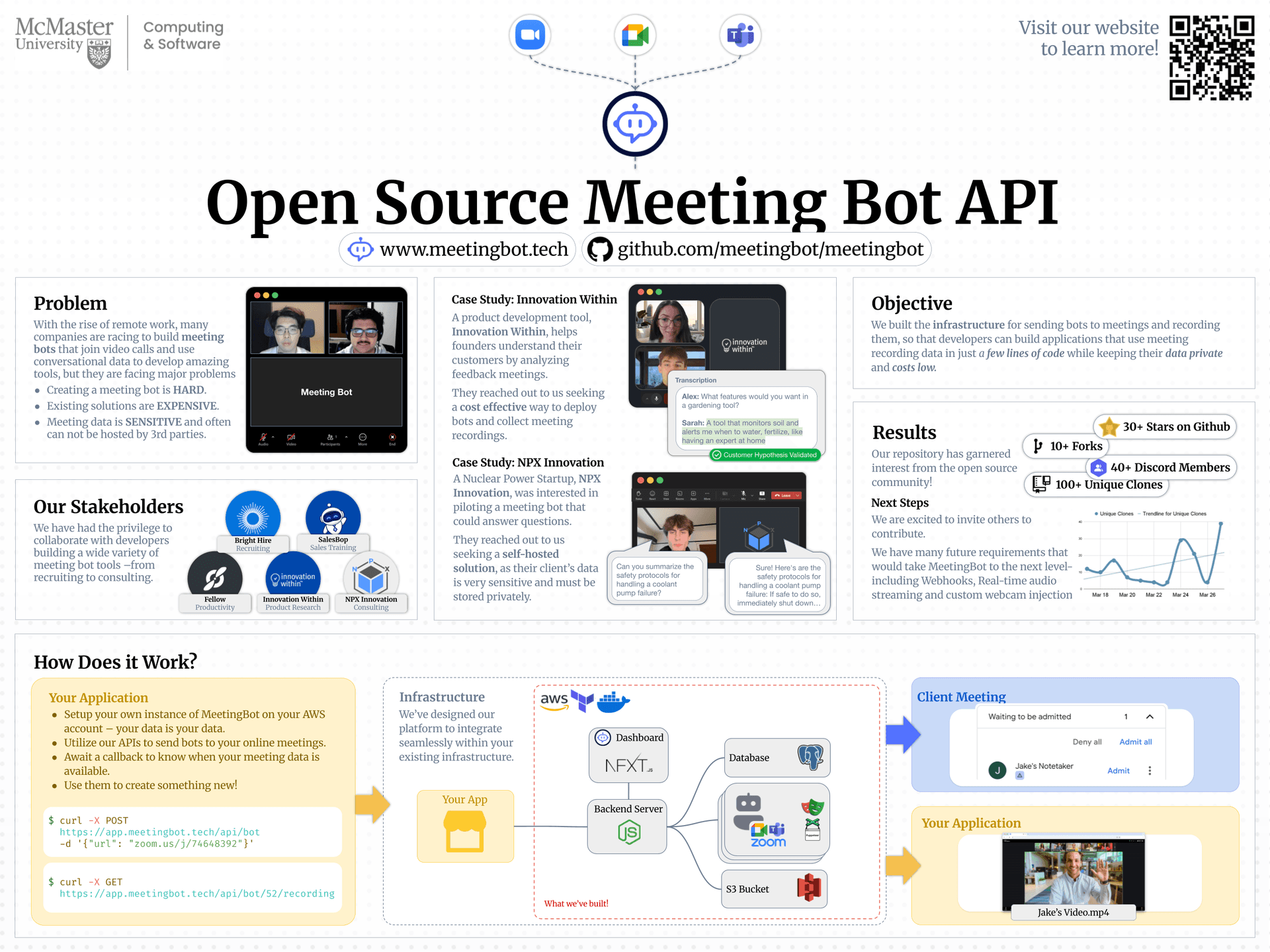
MeetingBot is our self-hostable meeting automation tool — a bot that joins Zoom, Teams, and Google Meet calls to record and process meeting data. It started as our final-year capstone project and evolved into something much larger.
I was able to work on this project with these brilliant people:
The Idea
We wanted to make something that could quickly and easily record meeting data without the use of External APIs - meaning you could ensure all of your data stayed private. The key motivation was privacy and control: letting people deploy their own bots locally and self hosting the solution -- simplifies compliance, trust, and cost.
Early on, we scoped three core features:
- • Join meetings automatically via link and authenticate locally
- • Record sessions (audio + video)
- • Provide APIs for developers to build meeting-based automations
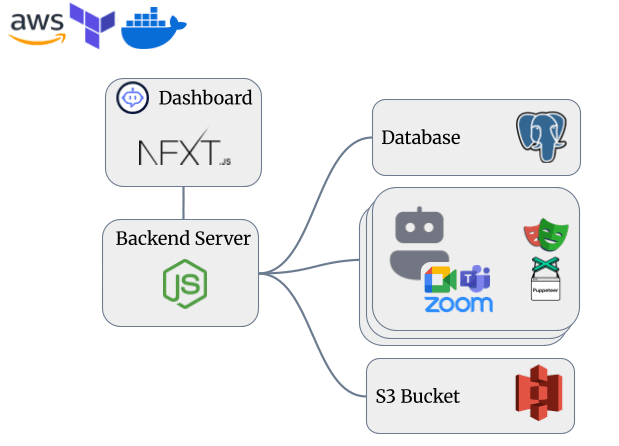
Infographic Poster of MeetingBot architecture and use-cases
Challenges Along the Way
MeetingBot wasn't just another Node.js API project — it required real-time handling of media, streaming, and browser automation. We hit a lot of walls, especially withFFmpeg.
Getting FFmpeg to correctly capture and mux both audio and video streams from a headless browser (via Playwright) was tough. Initially, my recording solution didn't even record audio; which I discovered a day before we had a meeting with a potential stakeholder. Of course, an all night insued. I eventually solved my blunder by using a lightweight launch script that pre-initialized FFmpeg with silent audio buffers before capturing the stream.
ffmpeg -f pulse -ac 2 -i default -f x11grab -r 30 -s 1280x720 -i :0.0 -c:v libx264 -c:a aac output.mp4But the biggest headache wasn't FFmpeg — it was Docker build speed.
Discovering Docker Caching
During early iterations, every build of our bot image took nearly 10 minutes. Since we had to frequently test browser interactions with Playwright and FFmpeg, this was painful. Even 1 line changes for any of our bots took forever to test. To any experienced Docker developer, you can probably already see the problem; but none of us had ever used Docker seriously before.
Eventually, We discovered Docker layer caching. By restructuring our Dockerfile to install dependencies first, and only copy over source files afterward, we reduced rebuild times from minutes to seconds - a huge win for our development speed.
# Install dependencies first (cached)
WORKDIR /app
COPY package.json pnpm-lock.yaml ./
RUN pnpm install --frozen-lockfile

# Copy source after deps are cached
COPY . .

RUN pnpm build
CMD ["pnpm", "start"]
It's one of those small “ah-ha” moments that made our dev flow dramatically faster. Especially for me, who already was developing on a lower-end laptop, this was a game-changer.
Cool Discussions and Collaboration
Working on MeetingBot wasn't just coding — it was full of deep technical and philosophical conversations. We debated open-source licensing, discussed hosting trade-offs (local vs. cloud), and experimented with different architectures for scaling multiple bots concurrently.
One discussion we had was switching our backend from Python to JavaScript in order to use a TRPC server to ensure Type Correctness between our client and our backend. This ended up being a huge help while developing our application flow, and made us seem that more professional.
Some of my favorite nights were spent whiteboarding possible architectures — how to let a single API manage 10+ meeting bots with separate browser contexts, or how to gracefully handle reconnects when Zoom booted the bot mid-meeting. These discussions were where the project really came alive.
Expo
After many months of development, we were able to show off our project at the McMaster University Capstone Expo in April of 2025. We got a lot of people coming up and asking questions, and it was an awesome experience.
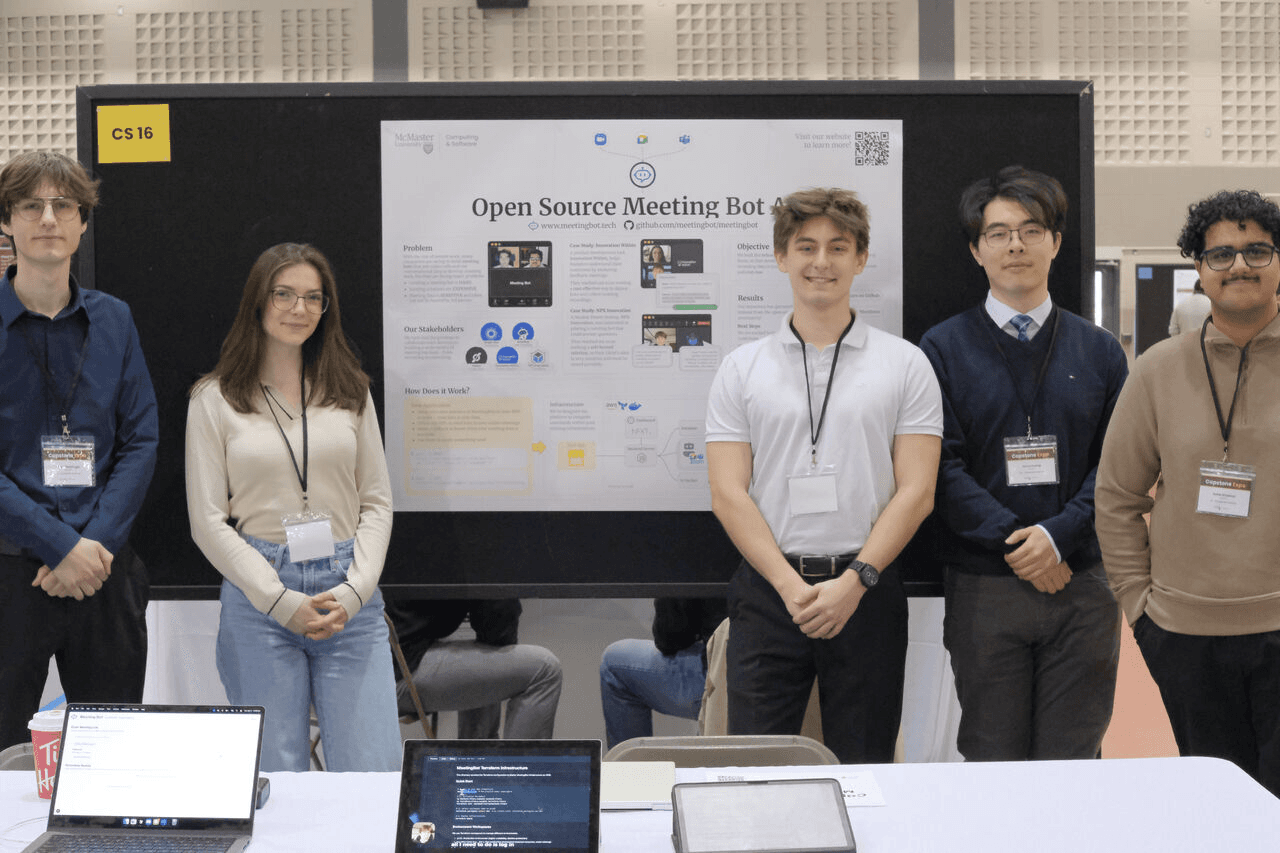
Our Team at the McMaster University Capstone Expo, April 2025
Lessons Learned
- • FFmpeg is powerful but merciless — always isolate and test it in small scripts first.
- • Browser automation + media recording = unexpected edge cases. Use retries liberally.
- • Docker caching can save you hours when iterating on multi-layered builds.
- • Good discussions are as valuable as good commits.
Try It Yourself
The project is open-source and still evolving. You can check it out on GitHub:
Alex Eckardt @pixeqla